We had an assignment to explore how generative AI (GenAI) could help build a stronger communication presence—especially through newsletters and social media posts. As a newly certified librarian, creating engaging, informative content for families is important to me, but I sometimes struggle with finding the right words or narrowing down what to include. That’s where AI came in!
My partner and I began by collaborating in Google Docs to plan our newsletter. We began with a goal: to create a vibrant, welcoming back-to-school newsletter for our elementary families. We knew we wanted to include sections about:
- The upcoming Book Fair
- Library rotation schedules
- Summer Reading Challenge highlights
- Why reading aloud at home matters
- Book recommendations for new beginnings
Using ChatGPT, we started by feeding it a series of prompts—short descriptions of what we wanted to include. The responses helped us flesh out ideas, find the right tone, and organize our thoughts more clearly. We didn’t always copy and paste the responses directly, but having a well-written draft gave us something to work from and saved a lot of time.
Some examples of my prompts are:
- For Book Fair: “Write an excited announcement about Book Fair for elementary. Include the Preview date of Thursday, Aug 28 and end date of Sept 5, that parents (and grandparents) can buy gift cards to allow their child to buy with no fear of losing cash, that parents can peruse the book fair and purchase online, as well. “
- For List of books: “List 6 books for grades Kindergarten through 5th grade that discuss beginning school or new beginnings. Give descriptions of each.”
- For a student highlight: “Write a short feature for a school newsletter about a fictional student who completed the Summer Reading Challenge with short interview about their favorite book and what they are most looking forward to this year (book fair).”
- For reading aloud tips: “Provide 5 reasons that it is important for parents to read aloud to students at home. Friendly tone for school newsletter.”
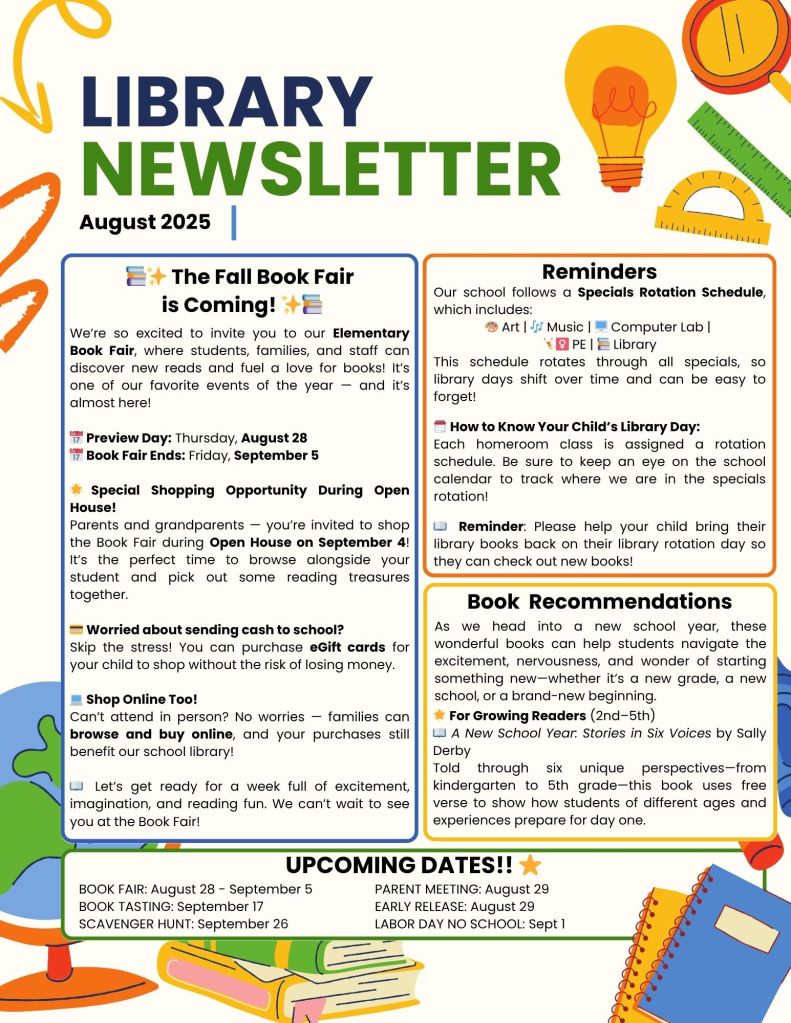
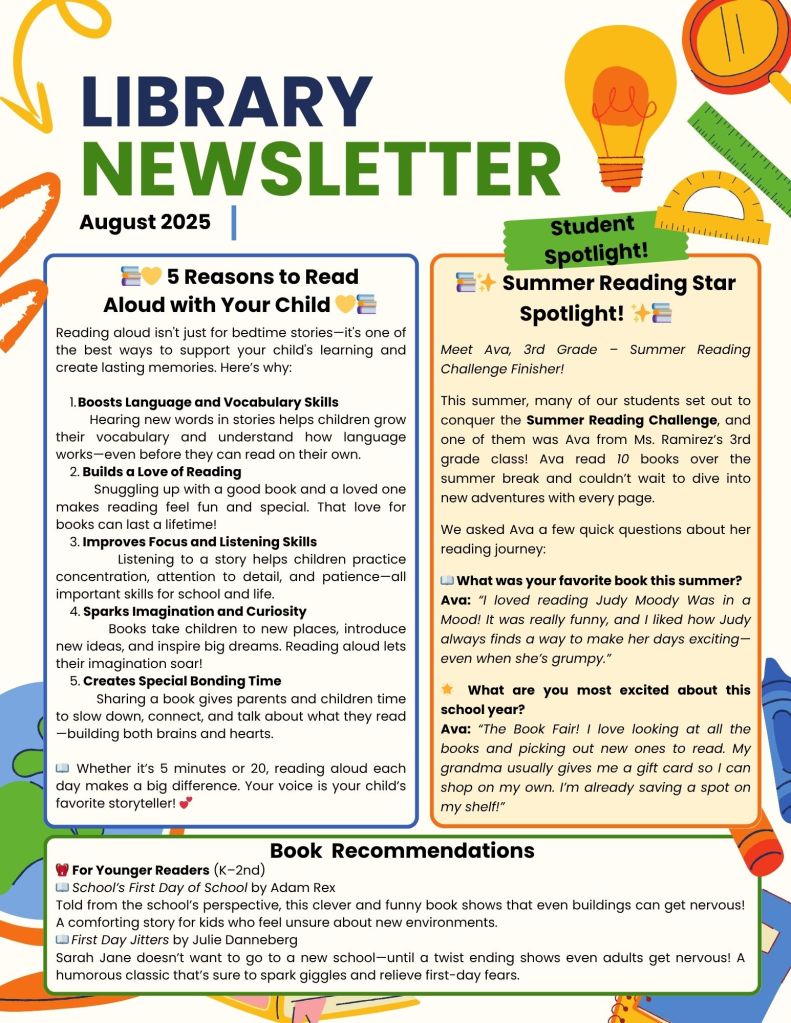
- Results below in newsletter…
Once the content was ready, my partner and I brought it into Canva to design the actual newsletter. That part was fun—but also a bit frustrating. We found ourselves running out of space quickly. There was so much we wanted to share, and even though Canva offered creative freedom, it felt limiting in terms of layout on just two pages. Honestly, the biggest struggle wasn’t with AI—it was trying to fit everything in!
So, was using AI helpful or annoying? That’s a fair question! At first, I wondered if AI might feel like a crutch or get in the way of my authentic voice. But what I found was this:
It wasn’t doing the thinking for me—it was helping me get my thoughts out more efficiently.
I still made all the final edits, customized the tone, and tailored everything to my audience. But having a smart starting point helped me overcome blank page syndrome and focus on making things better, not just getting started.
So, would I do it again? Yes! I liked the results. And while the formatting issues in Canva were frustrating, that wasn’t the AI’s fault. In fact, my district tends to use Smore for newsletters, which offers more structure for education-focused newsletters. I’m curious to try it next time and see if it’s a better fit for my content-heavy style.
Another unexpected benefit was how AI helped with my social media presence. I was able to pull short quotes and blurbs from the newsletter content to use on Instagram and Facebook—like reading tips, book spotlights, or fun Book Fair reminders. It was like having a copywriting assistant in my pocket!
Have you used AI in your library or classroom workflow? I’d love to hear how others are making tech work for them—especially when it comes to communication with families. AI is here to stay, and with the right balance, it can truly support creativity, not replace it.


 Gwinn Reads
Leave a reply to Kayla Michna Cancel reply